


LED Mask with Gesture Sensing Light up Face Transforming
LED Mask with Gesture Sensing Light up Face Transforming
Currently 93 items are in stock!
Impossibile caricare la disponibilità di ritiro
😷 LED Mask with Gesture Sensing – Light-Up Face Transforming
✅ The LED Gesture Sensing Mask is a futuristic light-up face accessory designed to transform your look instantly. Featuring vibrant LED displays and smart gesture control, it allows you to switch patterns and expressions effortlessly for a bold, eye-catching appearance.
✅ Engineered for comfort and creativity, this lightweight mask fits securely on the face while delivering dynamic lighting effects. Perfect for parties, festivals, cosplay, performances, and night events, it adds a unique and interactive visual experience.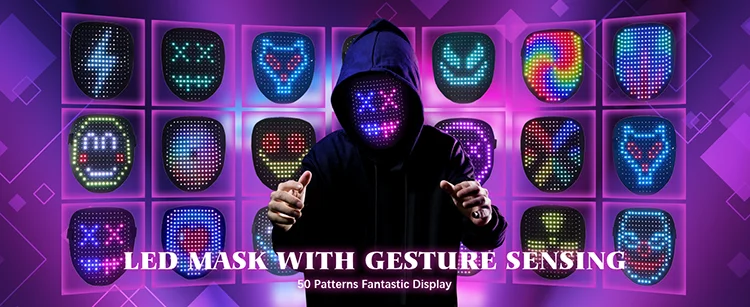
🚀 Key Benefits & Features
✔ Gesture Sensing Control – Change modes with simple hand movements
✔ Bright LED Display – Eye-catching light effects
✔ Multiple Light Patterns – Express different moods and styles
✔ Lightweight & Comfortable Fit – Easy to wear for long periods
✔ Rechargeable Design – Convenient and eco-friendly
✔ Adjustable Straps – Secure fit for most face sizes
✔ Durable Construction – Built for repeated use
✔ Ideal for Night Events & Performances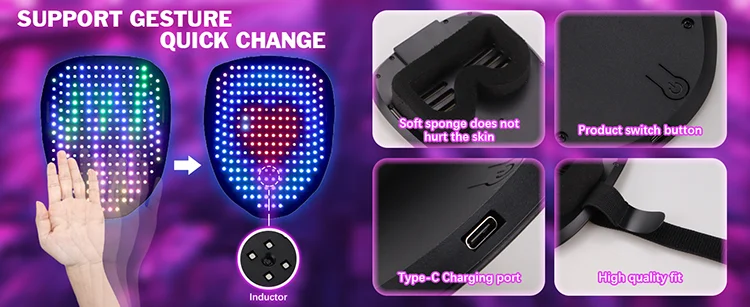
🧪 Advanced LED Display Technology
The mask uses high-quality LED panels combined with gesture-sensing technology to deliver smooth animations and responsive control. Unlike standard LED masks, it offers interactive pattern changes without physical buttons, enhancing usability and style.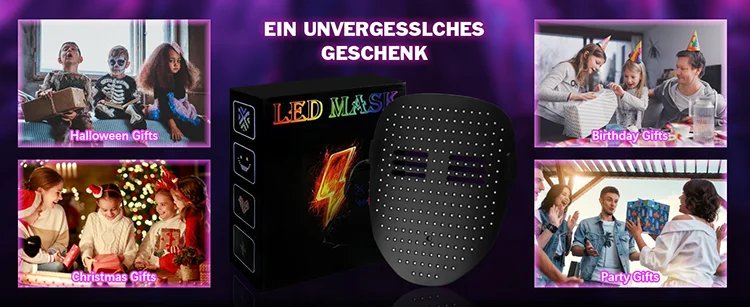
🎉 Ideal For
• Parties & night events
• Cosplay & Halloween costumes
• Festivals & concerts
• Stage performances
• Creative photo & video shoots
📦 What’s Included
📦 1 LED Gesture Sensing Mask
📦 Charging Cable
📦 Adjustable Head Straps
📦 User Manual
🌍 Perfect for Parties, Performances & Creative Expression
Whether you want to stand out at an event or create a bold futuristic look, this LED mask delivers stunning visuals and interactive fun wherever you go.
Instructions
✅ Fully charge the mask before use.
✅ Wear the mask securely using the adjustable straps.
✅ Use hand gestures near the sensor to change light modes.
✅ Turn off after use and recharge when needed.
Precautions
✅ Do not expose to water or heavy moisture.
✅ Avoid direct impact or bending the LED panel.
✅ Do not stare directly at LEDs for extended periods.
✅ Keep away from children.
✅ Store in a dry, cool place when not in use.
This offer is for limited time only! Buy before price increase.
Visualizza dettagli completi


